
HPE SSD BUG RPM Installation
I have a customer who is as a lot of them affected by the HPE SAS Solid State Drives Firmware bug, where the Disks will die after 32,768 power-on-hours. More you will find here about the bug. Within this short post I want to show you how to install under SLES 11.
At first you need to find which Disk you have, on the mentioned Website there are two different models (HPE SAS SSD models launched in Late 2015 and HPE SAS SSD models launched in Mid 2017), in this case we had a in Late 2015 DISKs.
You need to check with the CLI, OneView, ILO or with the SSA if you have Disks listed on the List Bulletin: (Revision) HPE SAS Solid State Drives – Critical Firmware Upgrade Required for Certain HPE SAS Solid State Drive Models to Prevent Drive Failure at 32,768 Hours of Operation
In my case I had the following disks in the Server:
Model VO0960JFDGU
Media Type SSD
Capacity 960 GB
So I downloaded the Online Flash Component for Linux – HPD8 and uploaded it to the SLES 11 Server, after that I installed the rpm with
rpm -ivh firmware-hdd-8ed8893abd-HPD8-1.1.x86_64.rpm

after the installation of the rpm you need to go to the folder /usr/lib/x86_64-linux-gnu/scexe-compat
cd /usr/lib/x86_64-linux-gnu/scexe-compat

with starting the installation
./CP042220.scexe
The installation of the Patch ist starting
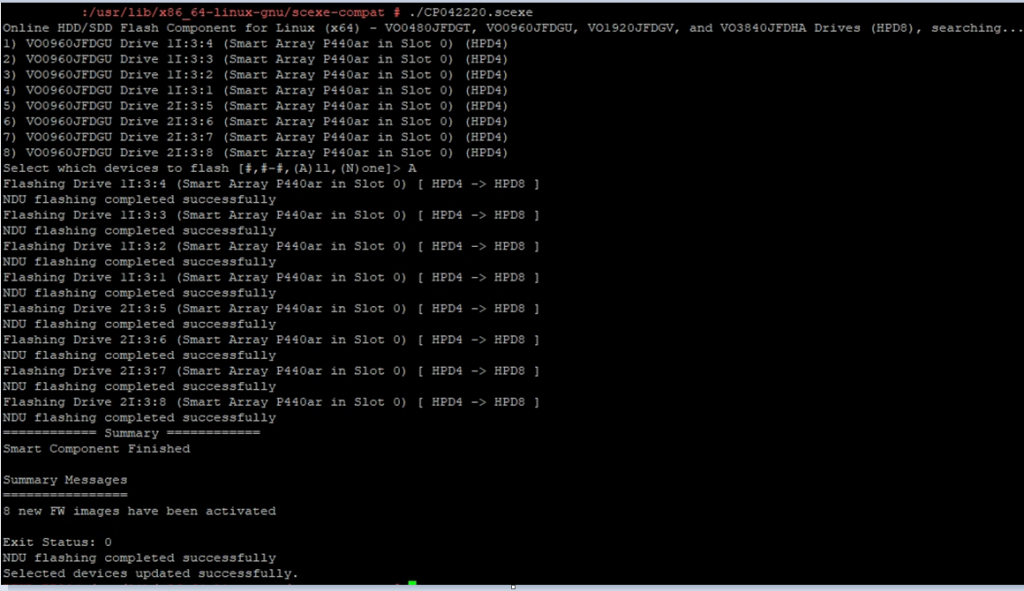
so and thats it, we are done.
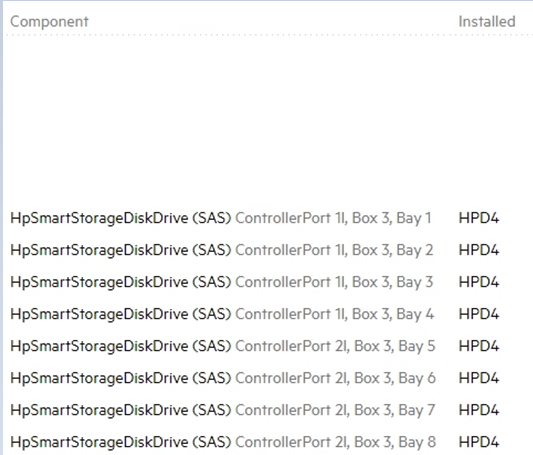
Here you see the Oneview before the Update:
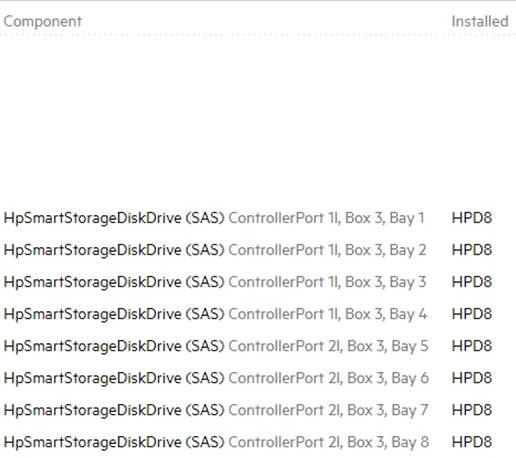
and here after the Update:
Enjoy, Problem solved 😉