
VMware vSphere Upgrade to 7.0.x Incompatible
When you are trying to upgrade your HPE Servers from 6.7 to 7.0 because the End of life of 6.5 and 6.7 from VMware see here: Reminder: vSphere 6.5/6.7 End of General Support | VMware
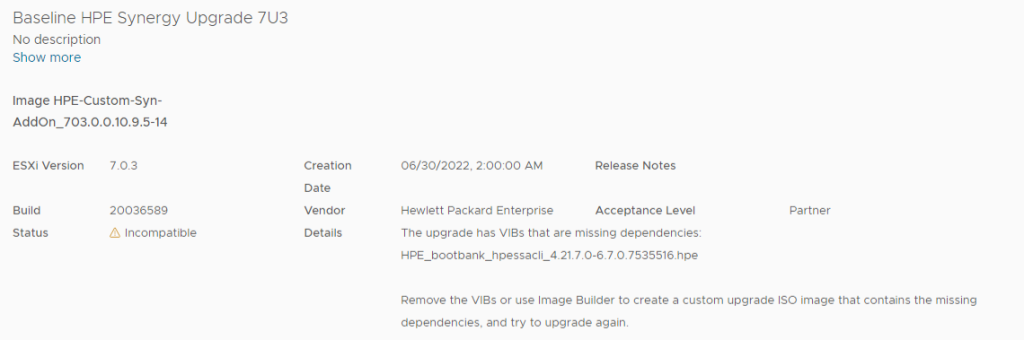
And you are facing Incompatible messages like this:
The upgrade has VIBs that are missing dependencies: HPE_bootbank_hpessacli_4.21.7.0-6.7.0.7535516.hpe Remove the VIBs or use Image Builder to create a custom upgrade ISO image that contains the missing dependencies, and try to upgrade again.
Here is one of your solutions 😉
$ESXiHosts = Get-VMHost | Where { $_.ConnectionState -eq "Maintenance" }

$VIBs = @("ssacli")


Foreach ($ESXiHost in $ESXiHosts) {

    Write-host "Working on $ESXiHost."

    $ESXCLI = get-esxcli -vmhost $ESXiHost

    foreach ($VIB in ($VIBs)) {

        write-host "Searching for VIB $VIB." -ForegroundColor Cyan

        if ($ESXCLI.software.vib.get.invoke() | where { $_.name -eq "$VIB" } -erroraction silentlycontinue ) {

            write-host "Found vib $VIB on $ESXiHost, deleting." -ForegroundColor Green

            $ESXCLI.software.vib.remove.invoke($null, $true, $false, $true, "$VIB")

        }

        else {

            write-host "VIB $VIB not found on $ESXiHost." -ForegroundColor Yellow

        }

    }


}
And here the esxcli way
esxcli software vib remove -n hpessacli
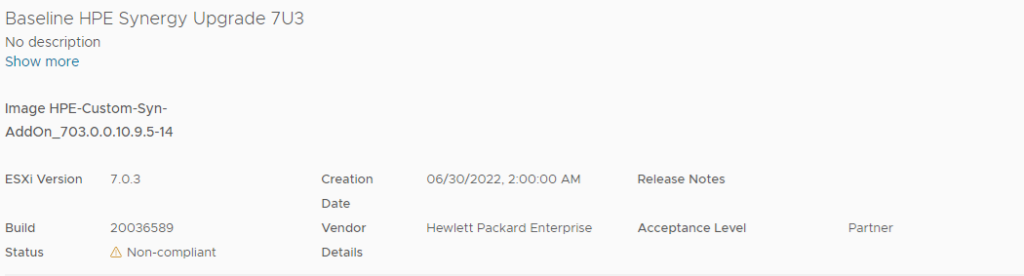
after removing this VIB and rebooting the Server you are able to upgrade this host:
Happy Upgrading!